How your music looks on Latido: covers, canvases and videos
Listeners see your song before they hear it. See how your cover, canvas and music video show in Clips, the phone player and Home, and what to make for each.
Where your track shows up
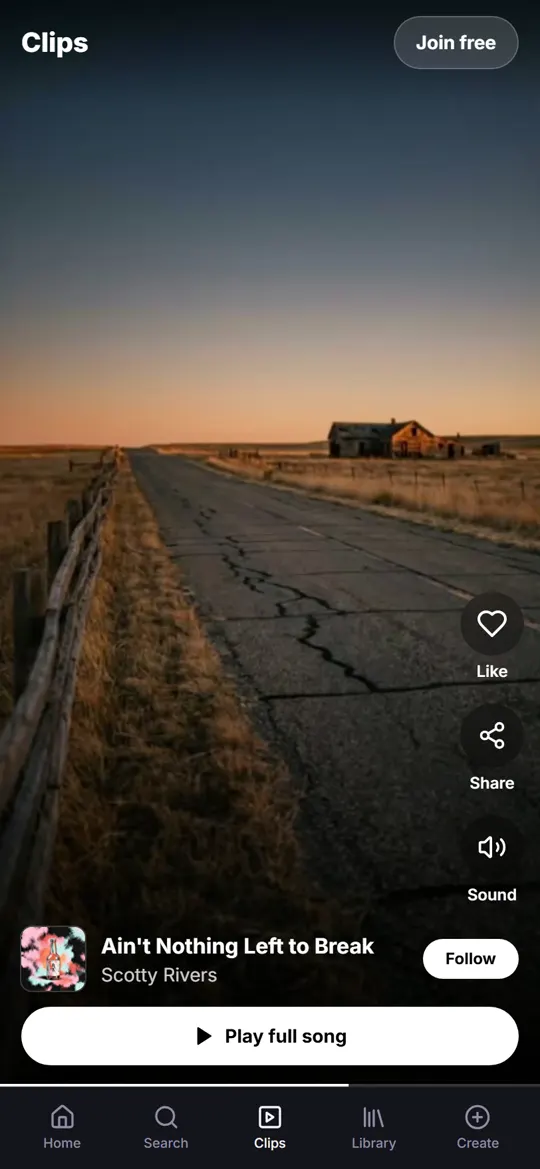
Clips: full screen, 9:16. Your music video plays here, or your canvas over the best part of the song.
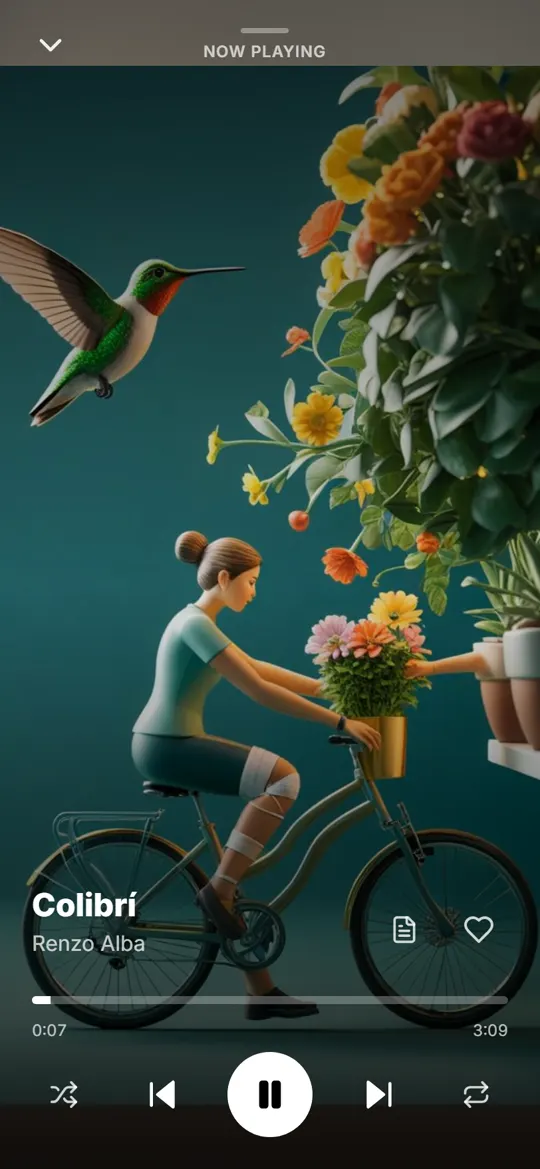
Phone player: your canvas fills the screen behind the title for the whole song.
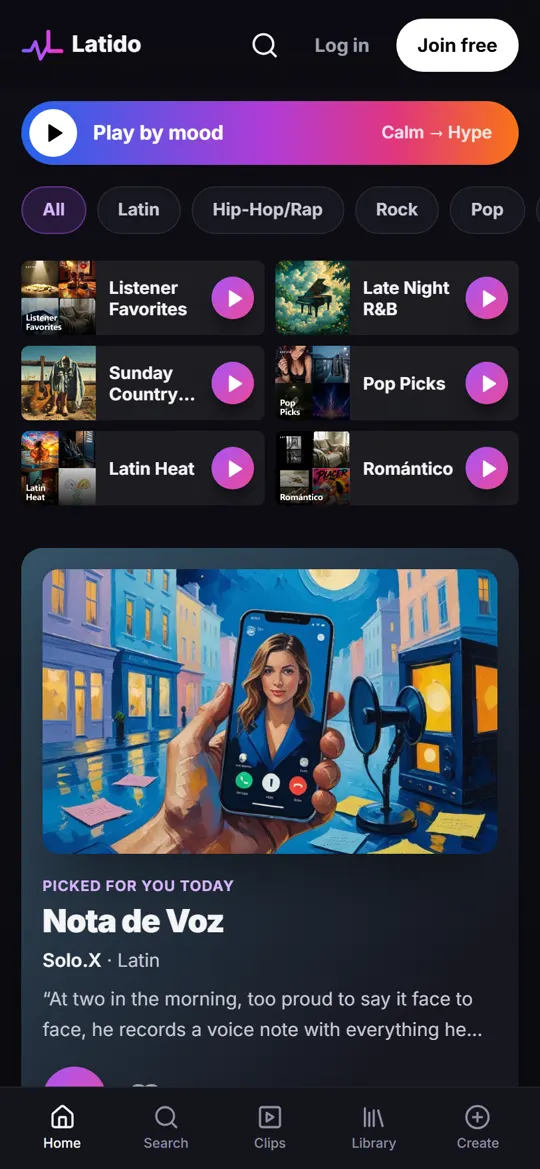
Home and playlists: your cover, small. It has to read at a glance, next to everyone else's.
On the web: your cover leads the track page and the player bar, so start from a sharp, square image.
Four ways to show a song
- Cover only: easy to swipe past.
- A cover that zooms: better than nothing.
- A canvas that moves: good.
- A music video: best.
In Clips, people tapped Play full song 2.7 times as often on clips with a music video as on clips with only a canvas (7.8% of views against 2.9%, last 30 days to November 21, 2026).
Sizes and the safe zone
- Cover: square, 3000 by 3000 px is ideal (at least 1400). One strong subject that reads at thumbnail size.
- Canvas: vertical 9:16, 1080 by 1920 px, a 3 to 8 second loop with real movement. No text or logos.
- Music video: vertical 9:16, starting on your hook. Open on movement, not a title card.
The title, artist name and buttons sit on top of your picture, so keep faces, words and the main action in the clear middle, away from the bottom and the right edge.
Make it on Latido
- Canvas maker: turn your cover or a clip of your own into a vertical loop.
- Video prompts: scene-by-scene prompts for a music video of your song.
- Add a canvas to your track: a 2-minute guide.
- About Latido.fm: a home for artists making music with AI
- Help and FAQ
- Community Rules
- Terms of Use
- Privacy Policy
- Contact us
- Blog
- Featured artists
- Learn Latido: simple step-by-step guides
- Latido for artists: upload free and launch every song
- The Latido app: iPhone beta open, Android coming soon
- Delete your Latido account
- Coming soon: new releases on Latido
- Clips: short music videos from Latido artists
- Stories behind the songs
- What's new on Latido